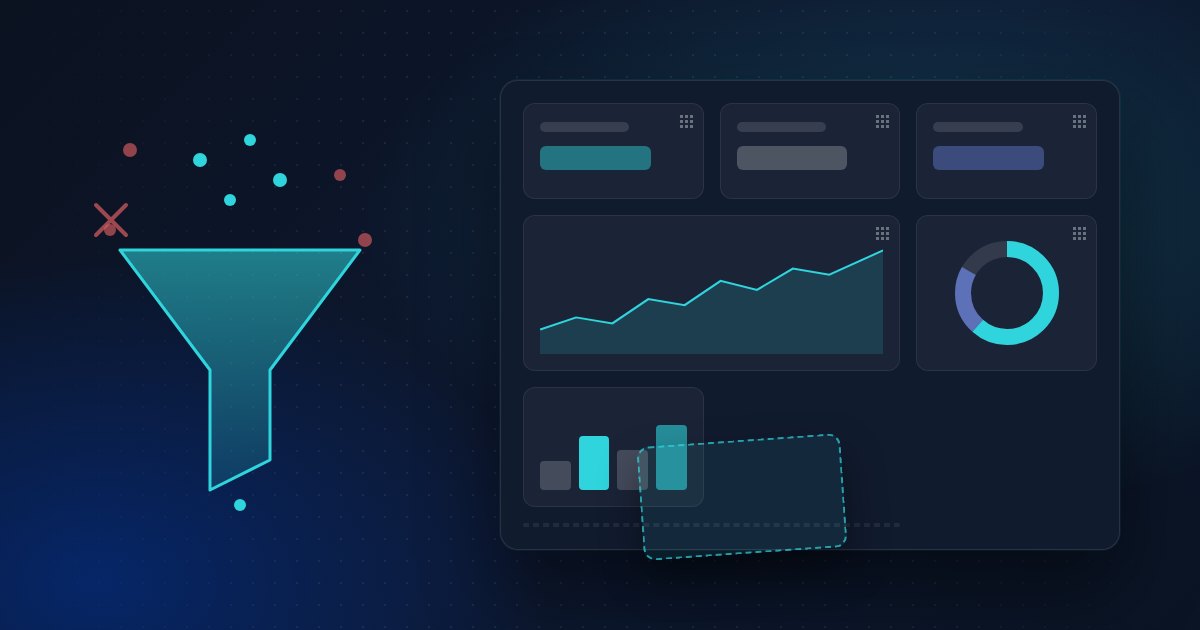
Google shipped two GA4 changes in September 2026 that many site owners have asked for since Universal Analytics was switched off. On 9 September, Dashboards arrived in Google Analytics: a single report where you put your KPIs together, with drag-and-drop editing and new visualisations. On 21 September, GA4 added Include data filters for hostnames, which let you keep an allowlist of the domains that are allowed to send data to your property. Until now you could only exclude hostnames.
Both changes are real improvements. GA4 dashboards answer the most common complaint about GA4 (there is no simple overview screen), and the hostname allowlist is the cleanest defence GA4 has offered against spam hits and staging traffic. But neither touches the bigger problems: consent loss, setup complexity and the cookies themselves. Here is a fair look at what changed and what did not.
What GA4 Dashboards do
According to Google's release notes, GA4 Dashboards are "a highly flexible way" for businesses to view their KPIs on a single report. The launch includes data visualisation creation, drag-and-drop layout and new report visualisations. In practice, a GA4 dashboard is the screen many people expected GA4 to open with: sessions, conversions, top pages and channels side by side, without building an Exploration or exporting to Looker Studio.
Who it helps:
- Small teams and owners who only want to check a handful of numbers each week.
- Agencies that report the same KPIs for every client and do not want a Looker Studio report for each property.
- Anyone who gave up on the GA4 interface and only used it through third-party tools.
Not everyone is impressed. Nico Brooks of Two Octobers, who saw the feature in some of his accounts before the official announcement, called the visualisations "rudimentary" in his September analytics roundup and noted that GA4 already has customisable reports, Explorations and Looker Studio. That is a fair point. A GA4 dashboard is a new place to look at data, not new data.
The GA4 hostname filter: from blocklist to allowlist
The second change is smaller but arguably more useful. GA4's data filters already covered internal traffic, developer traffic and web hostnames, but the hostname filter could only exclude domains. That forced you to chase every spam domain or staging copy after it showed up in your reports.
With the 21 September release, you can set a hostname filter to Include only: you list the domains you own, and GA4 drops event data from every other hostname. That covers three common problems:
- Ghost and spam hits: fake events that use your measurement ID on domains you have never heard of.
- Staging and preview environments:
staging.example.comor a local build that still loads the production tag. - Scraped or copied sites: a clone of your site that kept your tracking code.
The caveats that matter
Read the fine print before you switch an allowlist on:
- Measurement Protocol is not filtered. Google states that hostname Include filters do not apply to events sent through the Measurement Protocol. Spam that is sent straight to Google's collection endpoint with your measurement ID can still get through.
- Empty hostnames are blocked. An Include filter automatically drops events that arrive without a hostname. If you send events from a server-side setup or another source that leaves the hostname empty, check that before you activate the filter.
- Filters are permanent and not retroactive. Google's data filter documentation says data filters do not affect historical data, and excluded data is never processed, not even in BigQuery. Forget one of your own domains and that traffic is lost for good. Use the testing state first.
So the GA4 hostname filter is a clear step forward for GA4 spam traffic, but it is a filter on top of an open collection endpoint, not a closed door.
What GA4 dashboards and filters do not fix
A cleaner GA4 dashboard sits on the same data as before. Four issues stay exactly where they were.
Consent loss. GA4 uses cookies, so in the EU it needs consent before it can measure a visitor in full. Visitors who decline either disappear or, with Consent Mode, are partly replaced by modelled numbers (we explained how in Google Consent Mode V2 Explained). A dashboard shows those gaps more neatly; it does not close them.
Complexity. Dashboards remove one layer of friction, but setting up GA4 well still means data streams, key events, filters, retention settings, Consent Mode and often Tag Manager. The new hostname filter is one more setting that can permanently drop data if it is wrong.
Cookies and transfers. GA4 still sets first-party cookies and sends data to Google. If your concern is the legal side, see our overview of Google Analytics alternatives for GDPR compliance.
Data modelling. Thresholding, sampling in Explorations and modelled conversions are unchanged. A dashboard tile does not tell you which part of a number was measured and which was estimated.
GA4 vs a lightweight privacy-first analytics tool
If what you really wanted from GA4 dashboards was "one simple screen with my numbers", it is worth comparing GA4 with the lighter tools built around that idea. The comparison below is general; specific tools differ, which we covered in Comparing Privacy-First Analytics Tools in 2026.
| GA4 (September 2026) | Lightweight privacy-first tool (e.g. ClearAnalytics) | |
|---|---|---|
| Overview screen | New Dashboards report, built by you with drag-and-drop | Overview is the default screen; ClearAnalytics also lets you add, remove and rearrange widgets |
| Spam protection | Hostname Include/Exclude filters; Measurement Protocol events are not filtered; filters are permanent | Varies per tool; ClearAnalytics flags potentially fake or spam pageviews and leaves them out of your statistics |
| Consent needed | Yes in the EU, because GA4 sets cookies and shares data with Google | Designed so consent should not be needed: no cookies, nothing stored on the visitor's device |
| Setup | Tag or Tag Manager, data streams, key events, filters, Consent Mode, retention settings | One small script tag (about 1KB for ClearAnalytics) |
| Where data lives | Google infrastructure | ClearAnalytics processes and stores data in the EU |
The trade-off is real. GA4 does far more: deep Google Ads integration, audiences, BigQuery export and Explorations. If you use those, the September changes make GA4 easier to live with. If you mostly open analytics to see visitors, sources, pages and conversions, a simple analytics dashboard that does not need a consent banner may serve you better than a configurable one that does.
Should you set up a GA4 dashboard and hostname filter?
If you stay on GA4, yes to both, with care:
- Build one GA4 dashboard per audience (management, marketing, content) instead of one crowded screen.
- Collect your hostnames first. Check the hostname dimension over the last few months and list every domain that should count, including checkout, help centre and language domains.
- Run the hostname filter in testing state and compare before activating it.
- Keep watching for Measurement Protocol spam, which the allowlist does not stop.
- Remember the consent gap when you read any GA4 dashboard tile, especially on EU traffic.
Where ClearAnalytics fits
ClearAnalytics was built for people who want the overview screen without the configuration: it sets no cookies, stores nothing on the visitor's device and processes data in the EU, so it is designed to work without a consent banner. Spam-flagged pageviews are kept out of your numbers, and the script is about 1KB. If you want to see how it stacks up against GA4 and other tools, have a look at the comparison page.


